
A live AI app on a budget of zero.
You can put a real AI application on the internet for free: a Next.js frontend and light API routes on Vercel's free plan, a FastAPI backend on Render's free tier or a Hugging Face Space, a model from a free API tier or an open model, and secrets kept in the platform. This site, its MCP server and its publishing pipeline run on exactly that kind of stack.
- Frontend and light API
- Vercel free plan (this site runs there)
- Python backend
- Render free tier, Hugging Face Spaces, Cloud Run allowance
- Models
- Gemini and Groq free tiers; Ollama locally
- Never
- An API key in the browser

- 5production AI apps
- 14engineers led
- 200+students mentored
Questions students ask
The deployment questions searched most, answered from running production on free plans.
How to deploy AI application
- Separate the parts: a frontend, a backend that holds the API key and calls the model, and the model itself (hosted API or your own server).
- Put secrets in the platform's environment settings, never in code; the frontend calls your backend, not the provider.
- Containerise the backend (a Dockerfile with Uvicorn) or use a platform that builds from the repository.
- Deploy the frontend to a static or serverless host; deploy the backend to a container host; connect them with the backend's URL.
- Add a health endpoint, logging and a rate limit before sharing the link.
- Test the live URL from a phone on mobile data, which catches CORS, cold starts and mixed-content errors.
How to deploy AI apps
The pattern depends on where the model runs. If you call a hosted model API, your app is a normal web app plus a secret: deploy like any site, with the key in environment settings. If you run an open model yourself, the model needs a GPU server, which is the expensive part; for free, keep the model behind a free API tier or use a small model on CPU in a Space and accept slowness. If the app is an agent, deploy the loop as a backend job with limits and logs, not as a browser script. In every case, build the deployment on day one with a trivial endpoint so that the pipeline exists before the app grows.
Where to deploy FastAPI for free
Render's free web service tier runs a FastAPI container with a public URL, sleeping after idle periods and waking on the next request with a delay of a few seconds, which is acceptable for demos. Hugging Face Spaces with a Docker space runs the same container on free CPU hardware, with public visibility and a generous allowance, and is well suited to AI demos. Google Cloud Run has a monthly free allowance that covers a low-traffic service with no sleeping and fast cold starts, but needs a billing account on file. Koyeb and similar platforms have free tiers that change often. Railway offers a trial credit, then paid plans.
Can I deploy FastAPI on Vercel?
Yes, as serverless functions: Vercel's Python runtime runs a FastAPI app with each request handled by a function invocation. It works well for short, stateless endpoints such as a chat completion proxy or a small extraction call, and it is free on the hobby plan. It is a poor fit for long-running work, large model files, WebSockets, background jobs or anything that needs persistent processes, because functions have execution time limits and no local state between calls. For those, put FastAPI on Render, a Space or Cloud Run and keep Vercel for the frontend and light API routes, which is how this site is arranged.
How to deploy Railway
Railway deploys from a GitHub repository or a Dockerfile: connect the repo, it detects the language, builds and runs the service, and gives you a URL; add environment variables in the service settings and a Postgres or Redis instance from the same dashboard if you need one. It is one of the smoothest developer experiences for a backend. The caveat is pricing: Railway offers a one-time trial credit rather than a permanent free tier, after which usage is billed monthly from a modest plan. For a free-forever demo use Render or a Space; for a small paid project with a database, Railway is a good choice.
What is Vercel AI SDK?
The Vercel AI SDK is an open-source TypeScript toolkit for building AI features in web apps: a unified interface over many model providers (OpenAI, Anthropic, Google, open models and more), helpers for streaming text and structured objects, tool calling, and React hooks that render a streaming chat interface with a few lines. It runs in Next.js and other JavaScript frameworks on any host, not only Vercel. It is the quickest path from a model API to a working chat UI in a JavaScript codebase, and it keeps the provider swappable. This site's chat assistant uses a streaming route of the same shape.
How to use Vercel AI SDK
- Install the core package and the provider package for your model in a Next.js project.
- Create an API route that receives messages, calls the SDK's streaming text function with the model and a system prompt, and returns the stream.
- In the page, use the chat hook: it manages messages, sends them to the route and renders tokens as they arrive.
- Add tools by defining them with a schema and a function; the SDK handles the call-and-continue loop.
- Ask for structured output with a schema when you need JSON instead of prose.
- Keep the provider key in the environment; the route runs on the server, so the browser never sees it.
Does OpenAI API have a free tier?
No permanent free tier. The OpenAI API runs on prepaid credits and bills per token; promotional credits are offered occasionally but cannot be relied on. For free development, use another provider's free tier or local models, and switch to OpenAI when its models are needed. Because most providers accept the OpenAI request format, writing your app against an OpenAI-compatible client and keeping the base URL and key in configuration lets you move between Groq, Gemini, Ollama and OpenAI without rewriting code, which is how I keep the free and paid options open in every project.
Does Gemini API have a free tier?
Yes. Keys from Google AI Studio work on a free tier with rate limits per minute and per day that are adequate for prototypes and small apps, and the tier includes the capable models, not only the smallest. The conditions: limits are enforced per project, and free-tier prompts may be used by Google to improve its services, so do not send confidential data on it. Enabling billing moves the project to paid rates with higher limits. Together with Groq's free tier it is the most practical way to run a student project with a real model at zero cost.
Does Claude API have a free tier?
No. The Claude API is pay-as-you-go on prepaid credits with no permanent free allowance, although new accounts sometimes receive a small promotional credit. The free option in Anthropic's ecosystem is the Claude chat app's free plan, which is for people, not programs. For a free-tier development workflow, build on Gemini or Groq or a local model behind a provider-agnostic interface, and add Claude's API when its strengths, long documents, careful writing and agentic coding, justify the spend. This site's assistant and publishing tools run on a paid provider for exactly those reasons, behind a fallback so a free provider can take over if needed.
The free stack
What runs this site and what I recommend to students.
Frontend and light API
Next.js on Vercel's free plan: static pages, serverless routes, environment secrets, custom domain.
Python backend
FastAPI in a container on Render's free tier or a Hugging Face Space; Cloud Run if you have a billing account.
Models and data
Gemini or Groq free tiers; Ollama for local; a free Postgres from Supabase or Neon; files in a public GitHub repo as this site does.
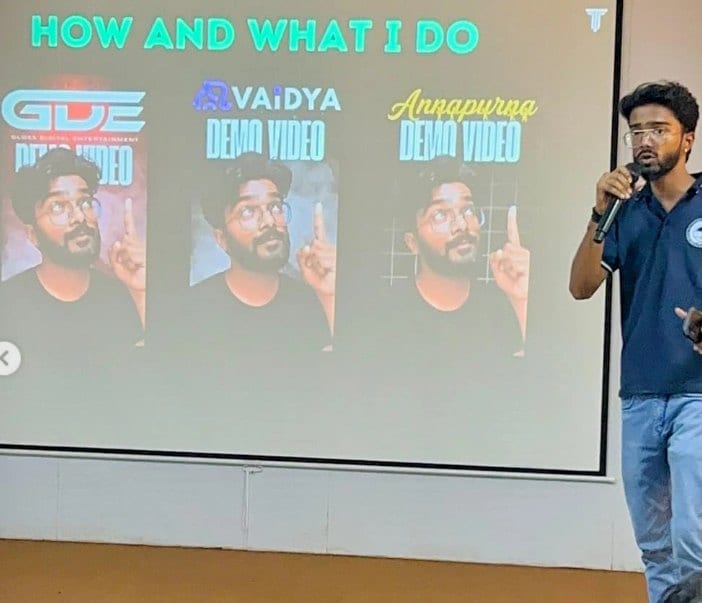
In the room
Where these systems get explained to students.

Read next
Each layer of the deployment.
A project that needs to be live by Friday?
I deploy AI apps on free and low-cost stacks with secrets, limits and monitoring done properly.