
Fine-tune a real model on a free GPU.
A free Google Colab or Kaggle session gives you a 16-gigabyte GPU for a few hours, which is enough to fine-tune a seven- or eight-billion-parameter model with QLoRA. VRAM is the limit: the model, the adapters, the activations and the optimiser state all have to fit. Unsloth makes the same run faster and leaner, so more fits and it finishes before the session ends.
- Free GPUs
- Colab T4 16 GB; Kaggle with weekly hours
- Fits with QLoRA
- Seven to eight billion parameters, short sequences
- Unsloth
- Faster, less memory, same QLoRA
- Save often
- Sessions end; push adapters to the Hub or Drive

- 5production AI apps
- 14engineers led
- 200+students mentored
Questions students ask
The Colab, VRAM and Unsloth questions searched most, answered from fine-tuning on free hardware.
How to fine tune LLM on Google Colab
- Open a notebook and choose a GPU runtime (the free tier gives a T4 with about 16 gigabytes).
- Install unsloth, or transformers, peft, trl and bitsandbytes.
- Load a small instruct model in 4-bit; Unsloth's loader does this in one call.
- Upload or mount your JSON Lines dataset; apply the chat template; split off validation.
- Attach LoRA adapters (rank 16 on attention and feed-forward layers) and train with the supervised fine-tuning trainer for one to two epochs with a sequence length your data needs, often 1,024 to 2,048 tokens.
- Save the adapter to Google Drive or push it to the Hub every few hundred steps, because the session can end without warning.
- Test base versus tuned on held-out prompts in the same notebook; export to GGUF to run in Ollama.
How much VRAM to fine tune LLM
With QLoRA, a rough rule: the 4-bit base needs about half a gigabyte per billion parameters, plus a few gigabytes for adapters, optimiser state, activations and the key-value cache that grow with batch size and sequence length. A seven- or eight-billion-parameter model therefore trains in roughly eight to twelve gigabytes at modest batch and sequence settings, which is why a 16-gigabyte free GPU works. A fourteen-billion model needs around sixteen to twenty; thirty billion and up needs a 24- to 48-gigabyte card. Full fine-tuning without adapters needs many times more and is out of reach on free hardware. Gradient checkpointing trades speed for memory when you are a little short.
How much VRAM do I need?
For running models: about as many gigabytes as billions of parameters at 4-bit, plus room for the context. For fine-tuning with QLoRA: the numbers in the previous answer, so 16 gigabytes covers small models, 24 covers mid-sized, 48 and up covers large. For a student choosing hardware, a used 12- or 16-gigabyte card, or Apple Silicon with 16 to 32 gigabytes of unified memory, handles learning, inference and small fine-tunes; for anything larger, rent GPU hours by the hour rather than buying. Free Colab and Kaggle are enough to learn the whole workflow before spending anything.
How much VRAM do I have?
On Windows, open Task Manager, select the GPU under Performance and read the dedicated GPU memory; or run the NVIDIA command-line utility in a terminal, which prints total and used memory. On Linux the same utility works. On a Mac with Apple Silicon there is no separate VRAM; the GPU shares unified memory with the CPU, so the figure is your system memory, of which the GPU can use a large share. In Colab or Kaggle, run the NVIDIA utility in a cell, or use PyTorch to print the device's total memory. Knowing the number tells you which models and settings will fit before you waste a session.
What is VRAM usage?
VRAM usage is how much of the GPU's memory is currently occupied: by the model weights, the activations being computed, the key-value cache for generation, the optimiser state during training, and any framework overhead. It rises when you load a bigger model, raise the batch size, lengthen the sequence or context, or keep several models loaded. When usage reaches the card's total you get an out-of-memory error. Monitor it during a run with the NVIDIA utility or PyTorch's memory functions; if it hovers near the limit, reduce batch size, enable gradient checkpointing, shorten the sequence, or use a smaller model or lower-bit quantization.
Why VRAM is important
Because the GPU can only compute on what sits in its own memory, and language models are large. If the model does not fit, it either fails to load or spills to system RAM over a slow bus, which makes inference crawl and training impractical. VRAM therefore decides which models you can run at all, which you can fine-tune, how long a context you can use and how many requests you can serve at once. For AI work it matters more than the GPU's raw speed: a slower card with more memory runs models a faster card with less memory cannot. That is why the first question about any GPU for AI is how many gigabytes.
Can VRAM be used as RAM?
Not in the direction people usually mean; the operating system does not treat graphics memory as general-purpose RAM. The reverse happens: when VRAM runs out, drivers and frameworks can spill some data to system RAM, and tools such as llama.cpp and Ollama deliberately split a model between GPU and CPU memory, running the layers that fit on the GPU and the rest on the CPU. That lets a model larger than your VRAM run, at reduced speed. Apple Silicon sidesteps the question with unified memory shared by both. So VRAM and RAM cooperate at the model level, but you cannot add your GPU's memory to the system's.
What is Unsloth AI?
Unsloth is an open-source library that makes fine-tuning open models faster and lighter by rewriting the hot parts of the training path, attention, the feed-forward layers and the loss computation, with hand-optimised kernels and careful memory handling. On the same GPU it typically trains roughly twice as fast and uses significantly less memory than the standard Transformers and PEFT path, with the same results, and it provides one-call model loading in 4-bit, chat-template helpers and direct export to GGUF for Ollama. It ships ready-made Colab and Kaggle notebooks for popular models, which is the easiest starting point for a first fine-tune on free hardware.
Does Unsloth use QLoRA?
Yes, QLoRA is its main mode: load the base in 4-bit, attach LoRA adapters, train the adapters. It also supports 16-bit LoRA when memory allows, and full fine-tuning on larger hardware. Unsloth does not change the method; it changes the implementation underneath so the same QLoRA run is faster and fits in less memory. The adapters it produces are ordinary PEFT adapters, loadable by Transformers, and its export helpers merge and convert them to GGUF or save them to the Hub. If you have followed a QLoRA tutorial with PEFT and TRL, the Unsloth version is the same steps with fewer lines and a shorter wait.
Unsloth QLoRA tutorial
- Start from one of Unsloth's official notebooks for your chosen model; open it in Colab with a GPU runtime.
- Replace the example dataset with yours: JSON Lines in chat format, mapped through the model's chat template with the helper provided.
- Keep the default LoRA settings for a first run (rank 16, adapters on all linear layers); set the sequence length to what your examples need.
- Train for one epoch first; watch the loss; save the adapter to Drive or the Hub.
- Run the inference cell on held-out prompts and compare with the base model's outputs on the same prompts.
- If it wins, export to GGUF with the provided helper and run it in Ollama; if not, fix the data before touching the settings.
Fit it on a free GPU
Settings that keep a seven-billion model inside 16 gigabytes.
- 01
4-bit base
Load with QLoRA; roughly four to five gigabytes for the weights.
- 02
Batch one, accumulate
Per-device batch of one or two with gradient accumulation of eight for a stable effective batch.
- 03
Checkpointing and length
Gradient checkpointing on; sequence length no longer than your examples need.
- 04
Save as you go
Checkpoint adapters every few hundred steps to Drive or the Hub.
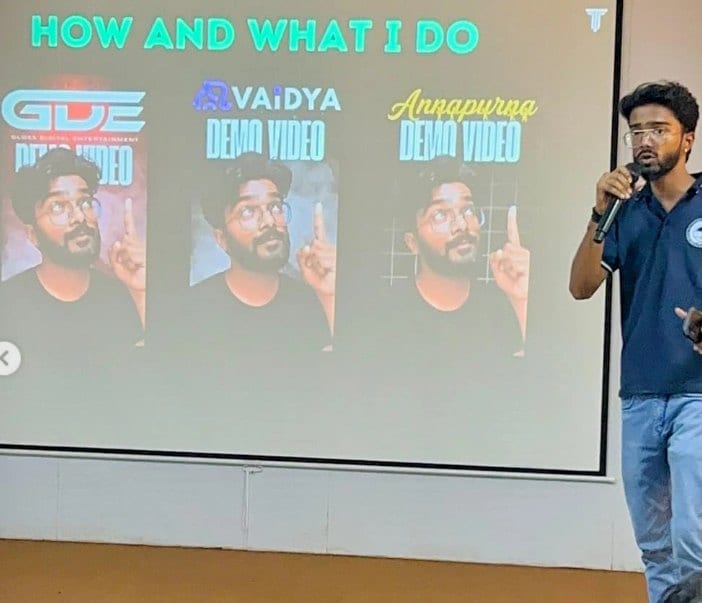
In the room
Where these systems get explained to students.
Read next
The method, the data and the hardware.
A first fine-tune without buying a GPU?
I teach this workshop and have run it on free hardware with students. I can walk your team through it.