
A language model on your own laptop.
Ollama is a free, open-source tool that downloads open-weight language models and runs them on your computer behind a local API that works like the hosted ones. You get privacy, zero per-token cost and offline use, in exchange for smaller models and your own hardware limits. For learning, prototyping and private data, it is the right starting point.
- Cost
- Free; models are open-weight
- Needs
- RAM or VRAM to fit the model, ideally a GPU
- API
- Local HTTP, OpenAI-compatible endpoint too
- Good for
- Privacy, learning, prototypes, offline

- 5production AI apps
- 14engineers led
- 200+students mentored
Questions students ask
The local LLM and Ollama questions searched most, answered from using it daily.
What is Ollama?
Ollama is a command-line tool and background service for running large language models locally. You install it, type a run command with a model name, and it downloads the model weights, loads them onto your GPU or CPU, and opens a chat in the terminal. At the same time it exposes an HTTP API on your machine, so any application can send prompts to the local model the way it would to a hosted provider. It packages models in a standard format with a library of ready-to-pull models and handles the hard parts: quantised weights, GPU offloading, memory management and model switching.
Is Ollama free?
Yes. Ollama itself is open source and free to download for macOS, Windows and Linux. The models in its library are open-weight models published by their creators under their own licences; most permit free personal, research and commercial use, with a few exceptions you should check for a commercial product. The only costs are your hardware and electricity. Ollama has also introduced cloud-hosted models that run on its servers for models too large for a laptop; those are a separate, paid offering, while everything local stays free.
What is Ollama used for?
- Learning: experimenting with prompts and models without an API key or a bill.
- Private data: summarising, extracting and answering over documents that must not leave the machine.
- Prototyping: building a RAG or agent locally, then swapping to a hosted model for production if needed.
- Offline tools: assistants that work without internet, on a laptop or an on-premises server.
- Embeddings: running an embedding model locally for semantic search and RAG indexing.
- Coding assistants: local code completion and chat inside editors that support a custom endpoint.
What are Ollama models?
Ollama models are open-weight language, vision and embedding models packaged for Ollama's runtime: Llama, Gemma, Qwen, Mistral, DeepSeek, Phi, gpt-oss and many others, in several sizes and quantisation levels. A model name usually carries a parameter count and a tag, so a small variant fits a laptop and a large one needs a workstation. Each is defined by a Modelfile that records the base weights, a default system prompt, a template and parameters; you can write your own Modelfile to create a customised variant with a fixed system prompt and settings. The library page lists what each model is for and what memory it needs.
What does Ollama serve do?
The serve command starts the Ollama server process that loads models on demand and listens for API requests on a local port. On desktop installs it starts automatically in the background, so you rarely run it by hand; on a headless Linux server you start it as a service. Once running, the run command, the chat and generate endpoints, the embeddings endpoint and the OpenAI-compatible endpoint all talk to it. It keeps a recently used model loaded in memory for a few minutes so repeated requests are fast, and unloads it afterwards to free the GPU. Environment variables control the host, the port, how many models stay loaded and where weights are stored.
What are Ollama cloud models?
Cloud models are models that Ollama runs on its own infrastructure rather than on your machine, while you use the same command-line and API as for local ones. They exist for models that are too large for consumer hardware, so you can call a very large open model with the same code you use for a small local one. The trade-off is the usual one: your prompts leave your machine and usage is metered. For most students and most private-data work, local models remain the point of Ollama; cloud models are a convenience for occasionally needing a bigger brain without changing your code.
What is local LLM?
A local LLM is a language model that runs on hardware you control, a laptop, a desktop with a GPU, or a server in your own data centre, rather than through a provider's API. The model weights are downloaded once and inference happens on your machine. Local models are generally smaller than the frontier hosted ones and therefore less capable on hard reasoning, but current small models are good enough for summarisation, extraction, classification, code help and RAG over documents, which covers a large share of real applications. Tools such as Ollama, llama.cpp, LM Studio and vLLM make running them routine.
Why run local LLM?
- Privacy: documents, code and conversations never leave the machine, which matters for medical, legal, financial and personal data.
- Cost: no per-token charge, so experimentation and high-volume batch jobs are free after the hardware.
- Control: pin a model version forever; no deprecations, no silent behaviour changes, no rate limits.
- Offline: works on a train, in a lab with no internet, or inside a locked-down network.
- Learning: seeing memory use, speed and quantisation effects teaches more than any API ever will.
- Latency: for short prompts on a decent GPU, a local small model answers faster than a round trip to a data centre.
How to run local LLM
Install Ollama from its website. Open a terminal and run a small model, which downloads a few gigabytes and starts a chat. Check that your machine can hold it: a model needs roughly as many gigabytes of memory as its parameter count in billions at 4-bit quantisation, plus overhead, so an eight-billion-parameter model wants around six to eight gigabytes. With an NVIDIA GPU it runs on the GPU automatically; on Apple Silicon it uses unified memory; on CPU only it works but slowly. Then call the local API from Python with the provider SDK pointed at the local base URL, and you have the same code path as a hosted model.
How to use local LLM in VSCode
Install an editor extension that supports a custom model endpoint, such as Continue or another open assistant, and point it at your Ollama server's local address with the model name you pulled. Choose a code-oriented model for completion and a general chat model for questions; small code models give fast inline suggestions on a laptop, larger ones give better chat. Set the context the extension may send (open files, selected text, the repository index) so you control what the model sees. Everything stays on your machine, which makes this the sensible choice for proprietary code or coursework that must not be uploaded.
First local model in ten minutes
From install to a Python call.
- 01
Install and pull
Install Ollama, run a small chat model, ask it something; confirm it answers.
- 02
Check the fit
Watch memory and speed; pick a size your machine handles comfortably.
- 03
Call the API
Point an OpenAI-compatible client at the local base URL with the model name; send a prompt from Python.
- 04
Add embeddings
Pull an embedding model and index a few documents; you now have a fully local RAG stack.
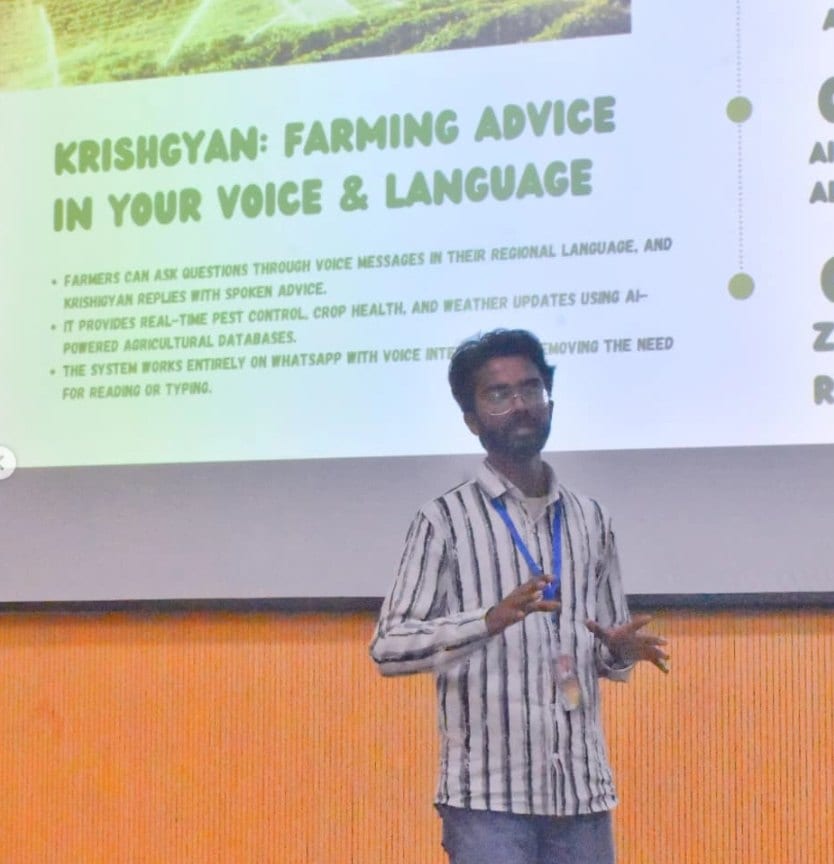
In the room
Where these systems get explained to students.

Read next
Models, serving and what to build.
AI on data that must stay in-house?
I build local and hybrid pipelines: local models for private data, hosted ones where they earn their cost.