
Chat with a PDF: the quick way and the proper way.
To chat with a PDF today you upload it to ChatGPT, Claude or NotebookLM and ask questions. That works for one file. For a folder of documents, private data, or answers you must be able to verify, you build document question answering: split the PDFs into chunks, index them, retrieve the relevant passages for each question and let a model answer from those with citations.
- One file
- Upload to a chat assistant
- Many files or private
- Build RAG over your documents
- Must be checkable
- Citations to page and passage
- I built
- RAG.NextUpgrad, DocuLens AI

- 5production AI apps
- 14engineers led
- 200+students mentored
Questions students ask
The PDF-chat questions searched most, answered from building document systems.
How to chat with PDF
The fastest route is a chat assistant with file upload: attach the PDF, ask your question, and the assistant reads the text and answers. It works well for a single document under a few hundred pages, for summaries, and for 'where does it say' questions. The limits appear quickly: scanned PDFs with no text layer need OCR first, tables often come through garbled, very long files get truncated or summarised silently, and you get no citation you can check. For anything beyond a one-off question, the better route is a small retrieval pipeline you control.
What is chat with PDF?
Chat with PDF describes any tool where you ask questions in plain language and get answers drawn from a PDF's contents. Under the hood the good ones all do the same thing: extract text, split it into chunks, embed the chunks, find the chunks closest to your question and have a language model write an answer from them. The difference between tools is in how carefully each step is done, whether answers cite page numbers, how large a file they handle, and where your document goes. A document you upload to a hosted tool leaves your machine; a pipeline you run keeps it local.
What is chat PDF AI?
It is a category of products rather than one product: websites and apps that wrap a language model around PDF upload. They vary in three things that matter. Accuracy: whether they retrieve the right passage or summarise loosely. Verifiability: whether each answer shows the page it came from. Privacy: whether your file is stored and used for anything else. Before trusting one with a contract or a medical report, read its data policy and test it with a question whose answer you already know. For coursework and public documents the convenience is hard to beat.
How to chat with PDF in ChatGPT
Click the attachment control in the message box, choose the PDF, wait for the upload to finish and then ask your question in the same message. Ask specific questions rather than 'summarise this': 'what are the three conditions in section 4' gets a better answer than 'what is this about'. Ask it to quote the exact sentence it relied on and the page number so you can check; it will often comply, though the page number can be off for scanned or oddly formatted files. For a long document, ask one section at a time. If the file is an image-only scan, run OCR first or the assistant will see nothing.
How to chat with PDF for free
Three free routes work in 2026. The free tiers of major chat assistants accept PDF uploads with daily limits. Google NotebookLM is free, accepts many sources per notebook and cites passages, which makes it the best free option for study material. And an open-source pipeline on your laptop costs nothing beyond electricity: a Python script with a PDF parser, a small open embedding model and a local model through Ollama answers questions about your files with no upload at all. The third route is slower to set up and the one I recommend to students, because you learn how the thing works.
Best free chat with PDF AI
- NotebookLM: free, multi-document, cites passages; best for study notes and research reading.
- ChatGPT or Claude free tier: quickest for a single file and a few questions.
- A local pipeline (PyMuPDF or pdfplumber, an open embedding model, FAISS or pgvector, Ollama): private, unlimited, yours.
- Open-source apps such as AnythingLLM or Open WebUI with document upload, if you want a local pipeline with a ready-made interface.
What is document QA?
Document question answering is the task of answering natural-language questions from the contents of documents. In the classic form a system receives a question and a document and returns the span of text that answers it. In the modern form it is retrieval-augmented generation: many documents, a retriever that finds candidate passages, and a model that composes an answer with citations. Chat with PDF is document QA with a conversational interface. Enterprise versions add permissions (only answer from documents this user may see), freshness (re-index when files change) and evaluation.
How to build a RAG chatbot to chat with documents despite missing data
Missing data is the normal case: the document set will not answer every question users ask. Design for it. Score the retrieved evidence before generating; when nothing relevant is found, say so and show the nearest passages rather than letting the model fill the gap from memory. Log every unanswered question, because that list tells you which documents to add next. Use hybrid search so exact terms are found even when phrasing differs. Let users narrow the scope to one document or folder. RAG.NextUpgrad has a confidence gate for exactly this reason: an honest 'not in these documents' kept users' trust where a confident guess would have lost it.
How to summarize a PDF with Chat GPT
Upload the file and ask for a structured summary rather than a generic one: 'summarise each section in two sentences, then list every number, date and named party'. Structure forces the model to cover the whole document instead of the first pages. For long files, ask for a section-by-section pass first and then a final synthesis from that. Always ask for the page each point came from and spot-check three of them. For dozens of PDFs, a script that chunks each file, summarises chunks and merges them is more reliable than pasting files into a chat one by one.
Why AI startups need much more than document QA to break into enterprise search
Answering questions from PDFs is table stakes; every provider demos it. Enterprise search is harder because of everything around the model: connectors to the systems where documents actually live, permission-aware retrieval so no one sees a file they are not allowed to, freshness so yesterday's policy change is reflected today, audit trails, evaluation on the customer's own questions, and cost control at thousands of queries a day. The companies that win are the ones that treat retrieval, permissions and measurement as the product. The chat box is the smallest part.
Build your own in an evening
A private PDF chat on your laptop, no upload.
- 01
Extract and chunk
Parse the PDF with page numbers kept; split by headings and paragraphs; attach page and title to each chunk.
- 02
Index twice
Embed chunks with a small open model into FAISS or pgvector; add a BM25 index for exact terms.
- 03
Answer with citations
Retrieve, fuse, re-rank, and prompt a local model to answer only from the passages with page citations.
- 04
Test it
Write twenty questions with known answers and check recall at five before you trust it with anything that matters.
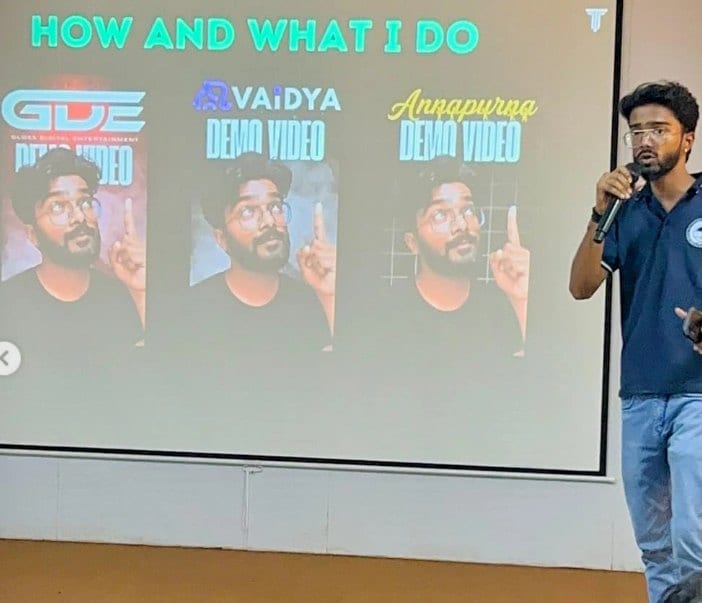
In the room
Where these systems get explained to students.
Read next
Each step in depth.
Document answers your team can trust?
I build retrieval systems with citations, gates and tests. Bring your documents and your questions.