
Your documents, answered. No retraining required.
A knowledge-base chatbot answers questions from your own content: manuals, policies, course notes, tickets. You do not train the model on that content; you index it and retrieve the relevant passages at question time so the model answers from them with citations. That is retrieval-augmented generation, and it is the right default for custom data.
- Short answer
- Index and retrieve; do not retrain
- Fine-tune when
- Behaviour, not knowledge, is the problem
- Most common bug
- Retrieval, not the model
- I built
- RAG.NextUpgrad, FineTune Studio

- 5production AI apps
- 14engineers led
- 200+students mentored
Questions students ask
The custom-data chatbot questions searched most, answered from building both a RAG platform and a fine-tuning platform.
What is knowledge base chatbot?
A knowledge-base chatbot is a conversational assistant whose answers come from a defined body of content you control rather than from the model's general training. Ask it about your product's return policy and it answers from your policy document, cites it, and declines when the document does not cover the question. The knowledge base is the set of documents, pages and records you index; the chatbot is the retrieval pipeline plus a language model plus the chat interface on top. Support assistants, internal help desks, course tutors and documentation bots are all this pattern.
How to create knowledge base for chatbot
- Collect the sources: PDFs, web pages, Markdown docs, ticket exports, database records. Prefer the canonical version of each; duplicates and drafts confuse retrieval.
- Clean and convert to text with structure kept: headings, lists, tables with their headers, page numbers.
- Chunk by structure at a few hundred tokens with small overlap; attach title, section, URL and date as metadata.
- Embed every chunk with one embedding model and store vector, text and metadata in pgvector, Qdrant or FAISS; add a keyword index.
- Write fifty real questions with the passage that answers each. This is your test set and the thing that tells you whether the knowledge base works.
- Plan for updates: re-index changed documents on a schedule or on save, and remove retired ones.
How to build a knowledge base chatbot
Once the knowledge base is indexed, the chatbot is a loop. Take the user's message, rewrite it into a standalone question using the recent conversation, retrieve candidates from the vector and keyword indexes, fuse and re-rank them, and check that the best evidence actually answers the question. If it does, prompt the model to answer only from those passages with citations and stream the reply. If it does not, say the knowledge base has nothing on it and show the nearest topics. Log every question, answer and citation. Run your test set after every change to chunking, prompts or models. That loop is the whole product; everything else is interface.
How to build AI chatbot with custom knowledge base
Pick a stack you can run and inspect. For a student or small team: Python, a PDF and HTML parser, an open embedding model, pgvector or FAISS, rank_bm25, a cross-encoder for re-ranking, and either a hosted model or a local one through Ollama, served by FastAPI with a simple chat page. Frameworks such as LangChain and LlamaIndex can wire this up faster but hide the parts you will later need to debug, so I suggest building the first version with plain libraries and adopting a framework once you know what each stage does. Ship with citations and a decline path from day one.
How to train AI chatbot with custom knowledge base
You almost never train it. 'Training a chatbot on our data' usually means making it answer from that data, and retrieval does that without touching model weights: add a document, re-index, and the bot knows it within minutes. Training (fine-tuning) changes how the model behaves, not what it knows, and it cannot keep up with documents that change. Fine-tune only when the behaviour is wrong after retrieval works: tone, format, a narrow domain style. Even then, you fine-tune the model that sits inside the retrieval pipeline; you do not replace retrieval with training.
How to fine tune LLM on custom data
When fine-tuning is the right tool, the recipe is: collect a few hundred to a few thousand examples of input and ideal output in the exact format you want; clean them, because the model learns your mistakes too; hold out a test split; train with LoRA or QLoRA on an open model so it fits on a modest GPU; and compare the base and tuned models on the same held-out prompts before you ship. FineTune Studio, the platform I built, runs QLoRA with that comparison built in. The examples are the hard part. The training is a few hours.
How to fine tune LLM on your own data
Your own data is only training data once it is in pairs: an input and the output you wish the model had produced. A folder of documents is not that; it is a knowledge base, which is a retrieval problem. If you do have pairs, such as past support tickets with the agent's reply, you can fine-tune for the reply style while retrieval supplies the facts. Format consistently, deduplicate, strip anything personal, and keep a held-out set. Start with a small model; a seven-billion-parameter model tuned on good pairs often beats a far larger model prompted on bad ones.
Why is my RAG LLM not retrieving my custom data?
- The query and the documents were embedded with different models, so distances are meaningless.
- Chunks are too large or cut mid-thought, so the matching passage's embedding is diluted.
- The question uses exact terms (codes, names) that vector search blurs; add BM25 and fuse.
- Metadata filters are wrong, excluding the right documents silently.
- The index is stale: the document was added or changed but never re-indexed.
- Extraction failed: the PDF was a scan with no text layer, or tables came out as garbage.
- Top k is too small, and the right chunk sits at rank eight. Retrieve twenty, re-rank, then keep five.
- Diagnose with the test set: run retrieval only and print the ranked chunks for a failing question. The cause is visible within minutes.
How to feed a knowledge base into language models
There are three ways. Put it in the prompt: for a small knowledge base, a few thousand tokens, you can include the whole thing in every request, optionally with prompt caching to keep it cheap. Retrieve it: for anything larger, index and fetch only the relevant passages per question, which is RAG. Train it in: for stable, behaviour-shaped knowledge, fine-tune, accepting that updates mean retraining. Most products use the middle route, sometimes with the first for a short always-present context such as product names and rules. The third is the exception, not the default.
What is better: train a model from scratch on your own data vs. fine-tune pretrained model
For language models the answer is never from scratch. Pretraining a capable model needs trillions of tokens and compute that only a handful of organisations have; your data would be a rounding error. Fine-tuning a pretrained open model gives you its language ability plus your behaviour for a few hours of GPU time. For small classical tasks (a classifier over a few thousand labelled rows) training a small model from scratch is still reasonable. For anything conversational or generative, start from a pretrained model, and before fine-tuning at all, try retrieval, because most 'train it on our data' requests are knowledge problems.
Which route for your data
Decide in a minute.
Documents that change
Policies, docs, notes, tickets. Index and retrieve with citations.
A short fixed context
Rules, product names, a glossary. Put it in every prompt and cache it.
A style or format
Reply tone, strict JSON, a narrow task done the same way every time.
In the room
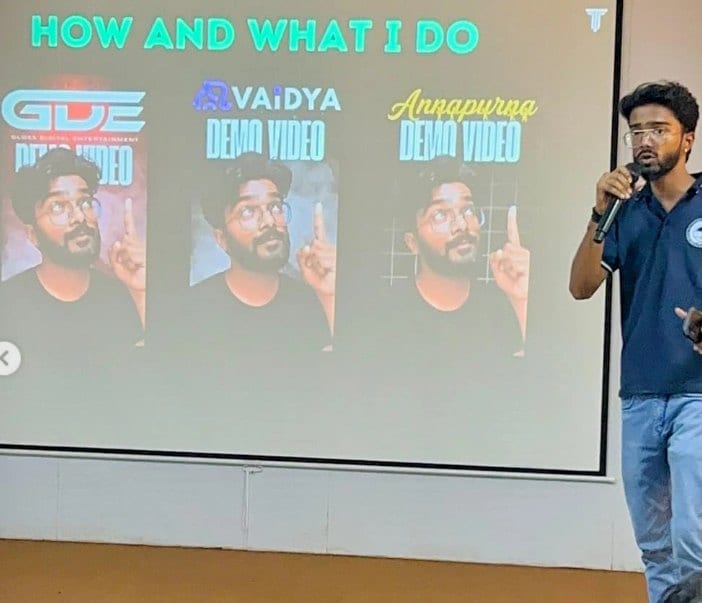
Where these systems get explained to students.
Read next
The parts of the build.
A chatbot that knows your material?
I have built both the retrieval platform and the fine-tuning platform. I can tell you which you need and build it.