
AI writes the code. You still own it.
Vibe coding means describing what you want to an AI coding tool and accepting the code it produces, iterating by feel rather than by reading every line. It is a fast way to prototype and a slow way to build anything that must keep working. Tools like Cursor, GitHub Copilot and terminal agents are excellent when you specify clearly, read the diffs and run the tests.
- Vibe coding
- Prompt, accept, iterate by feel
- Works for
- Prototypes, throwaway tools, learning
- Fails on
- Security, maintenance, anything you cannot read
- I use
- Agentic coding daily, with tests and diffs read

- 5production AI apps
- 14engineers led
- 200+students mentored
Questions students ask
The vibe coding and AI tool questions searched most, answered from building this site with those tools.
What is vibe coding?
Vibe coding is a term coined in early 2025 for a way of programming where you tell an AI assistant what you want in plain language, accept the code it generates, run it, and feed back errors and wishes until it does what you meant, without closely reading or fully understanding the code. The phrase captures something real: current coding models are good enough that a non-programmer can get a working app this way, and a programmer can move several times faster on routine work. It also names the risk: code nobody understands is code nobody can fix, secure or extend.
What is vibe coding and how to do it
- Pick a tool with an agent mode: Cursor, a terminal coding agent, or an editor extension connected to a capable model.
- Describe the outcome, the stack and the constraints in a few sentences; add an example of the input and output if you have one.
- Let it scaffold; run it; paste errors back; ask for changes in plain words.
- Commit often so you can roll back a bad turn.
- When it works, ask the tool to explain the parts you do not understand and to add tests. That last step is what turns a vibe into a project.
Why vibe coding is bad
Not bad; limited, and dangerous when its limits are ignored. Generated code often contains security holes: secrets in the client, missing input validation, open database rules, no rate limits. It accumulates duplication and dead paths because the model patches rather than refactors. It can quietly depend on packages that are outdated or invented. And when it breaks in a way the model cannot fix, the person who vibed it has no map of the system. For a weekend demo none of that matters. For anything with users, money or personal data, somebody must understand the code, and that somebody is you.
Why vibe coding fails
Three failure patterns recur. The spiral: each fix introduces a new bug because the model lacks the whole picture, and the codebase grows until the model's context cannot hold it. The confident lie: the model says it fixed something it did not, and nobody checked. The cliff: the project reaches a point (authentication, deployment, a subtle data bug) where guessing stops working and understanding is required. All three are solved the same way: smaller, precise tasks; reading the diff; running tests after every change; keeping the architecture simple enough to hold in your head. That is not vibe coding anymore; it is engineering with a fast assistant.
What is Cursor AI?
Cursor is a code editor built on VS Code with AI integrated throughout: inline completions, a chat that sees your codebase, and an agent mode that plans and makes multi-file changes, runs commands and fixes errors, using models from several providers. It indexes your repository so the model can find relevant files, and it lets you add rules files that tell the model your conventions. It is a paid product with a free tier that has usage limits. Similar capabilities exist in VS Code with Copilot's agent mode, in Windsurf, and in terminal agents such as Claude Code and others that work in any editor.
How to use Cursor AI effectively
- Write a rules file: stack, conventions, what never to do, how to run tests. The model reads it every time.
- Give small, specific tasks with acceptance criteria rather than 'build the app'.
- Reference the files that matter so the model does not search blindly.
- Ask for a plan before large changes; approve it; then let it implement.
- Read every diff before accepting; reject anything you do not understand and ask for an explanation.
- Run tests and the app after each accepted change; commit when green.
- Use the chat for understanding code you inherited; it is the fastest code reading tool you have.
What is Copilot?
Copilot is the name Microsoft and GitHub use for their AI assistants. GitHub Copilot is the coding assistant inside editors and on GitHub: completions, chat, an agent mode that edits across files, code review on pull requests, and a cloud coding agent that takes an issue and opens a pull request. Microsoft 365 Copilot is the assistant inside Word, Excel, Outlook and Teams for writing, summarising and analysing. Copilot Studio is a low-code tool for building custom agents on Microsoft's platform. The shared name causes confusion; for programmers, Copilot means GitHub Copilot.
What is Copilot in Microsoft?
Inside Microsoft's products, Copilot is the assistant layer: in Windows as a system assistant; in Microsoft 365 apps for drafting documents, summarising email threads, writing Excel formulas and analysing data, and recapping meetings in Teams; in Edge for summarising pages; and in Dynamics and Power Platform for business workflows. It runs on models from OpenAI and Microsoft with the organisation's data permissions applied, which is the main selling point for companies: the assistant only sees what the user can see. For a student, the free consumer Copilot app is a general chat assistant comparable to the others.
How do AI agents work in Copilot?
In GitHub Copilot, agent mode in the editor takes a task, plans, edits files, runs build and test commands, reads the output and iterates until the task is done or it needs you, with every change shown as a diff for approval. The coding agent on GitHub does the same in the cloud: assign it an issue and it works in a sandbox, then opens a pull request for review. Both use tool calling under the hood and can connect to MCP servers for extra tools. In Copilot Studio, agents are built visually with knowledge sources, actions and triggers for business processes. The pattern is the same loop as any agent: model, tools, observe, repeat, under human review.
Best vibe coding tools free
- GitHub Copilot's free tier in VS Code: completions and chat with monthly limits.
- Gemini's command-line coding agent with a free tier.
- Open-source editor agents (Cline, Roo Code, Continue) with free hosted models or local models through Ollama.
- Aider, an open-source terminal agent that works with local models.
- Cursor's free tier for a taste of the editor experience.
- Whichever you choose, the free part that matters most is the habit: read the diff, run the tests, commit small. I describe the free assistants in more detail in the guide on free AI coding assistants.
From vibes to engineering
The four habits that keep AI-written code shippable.
- 01
Specify
Outcome, constraints, an example, and how success is checked. A rules file for the project.
- 02
Small tasks
One change per turn; a plan first for anything touching several files.
- 03
Read and run
Every diff read; tests after every accepted change; commit when green.
- 04
Understand
Ask the tool to explain what you did not write; refactor duplication before it spreads.
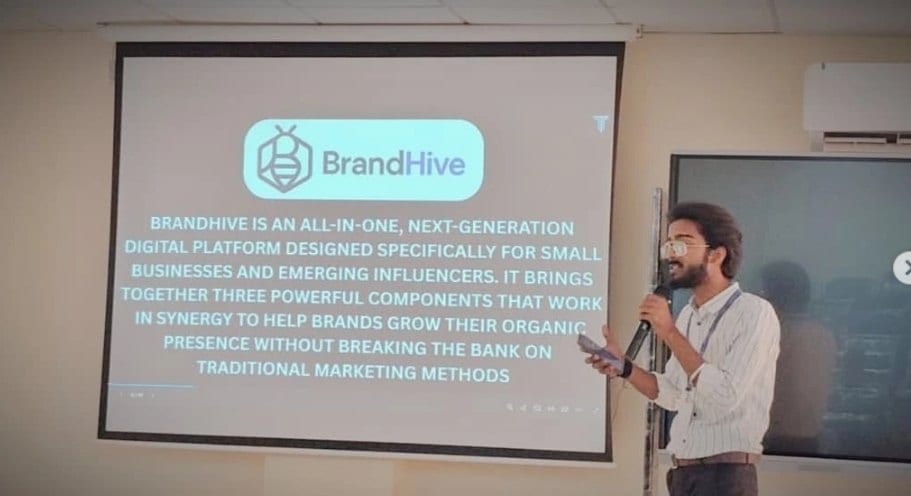
In the room
Where these systems get explained to students.

Read next
Tools, prompts and the agents behind them.
Want your team to use AI coding tools well?
I run hands-on sessions on agentic coding: specification, review habits and the guardrails that keep it safe.