
Computer vision: teaching software to see.
Computer vision is the field of making computers extract meaning from images and video: what is in the picture, where it is, what it says, who it is. Modern systems learn this from labelled examples with convolutional and transformer networks. Classification names the image, detection boxes the objects, segmentation outlines them, and vision-language models describe them in words.
- Tasks
- Classify, detect, segment, track, read, match
- Models
- CNNs, vision transformers, YOLO, vision-language models
- Learns from
- Labelled images; pretrained models cut the need
- I built
- FaceVision, OCR Speech Workspace, DocuLens AI

- 5production AI apps
- 14engineers led
- 200+students mentored
Questions students ask
The computer vision questions searched most, answered from shipping vision products.
What is computer vision?
Computer vision is the branch of AI concerned with interpreting visual input. A camera gives a computer a grid of pixel values; vision systems turn that grid into answers: this is a cat, there are three cars at these positions, this region is road, this text says 'exit', these two faces belong to the same person. The field combines image processing (filtering, geometry, colour), machine learning (models trained on labelled images) and engineering (cameras, real-time constraints, deployment on phones and browsers). It powers photo search, medical imaging, factory inspection, document scanning, autonomous driving and face unlock.
How does computer vision work?
A modern vision model is a neural network trained on many labelled images. Early layers learn to respond to edges and textures; deeper layers combine those into parts and objects; a final layer maps that representation to the task's output, a class label, bounding boxes or a mask. Training adjusts millions of weights so predictions match the labels, and the network generalises to new images because it learned visual patterns rather than memorising pixels. In practice almost no one trains from scratch: you start from a model pretrained on a large dataset and fine-tune it on your own images, which needs far fewer examples. At run time the network processes each image in milliseconds on a GPU, or in tens of milliseconds in a browser.
What are computer vision applications?
- Document understanding: OCR, layout analysis and field extraction, as in DocuLens AI and the OCR Speech Workspace.
- Identity and access: face detection, recognition and liveness, as in FaceVision, which runs in the browser.
- Retail and manufacturing: product recognition, defect detection, counting.
- Healthcare: reading scans, counting cells, assisting diagnosis under a clinician.
- Agriculture: crop and disease identification from phone photos.
- Transport: lane, sign and pedestrian detection; licence plate reading.
- Media: photo search, content moderation, video tagging, augmented reality.
What are computer vision models?
They are the trained networks for each task. Classifiers (ResNet, EfficientNet, vision transformers) label a whole image. Detectors (the YOLO family, DETR and its descendants) output boxes and labels for every object. Segmentation models (U-Net, Mask R-CNN, the Segment Anything models) output pixel masks. Face models detect faces and produce embeddings for matching. OCR models find and read text. Vision-language models (CLIP for matching images to text; multimodal LLMs for describing and answering questions about images) connect pictures to language. Most are available pretrained on the Hub, and many have small versions that run on phones and in browsers.
What is image classification in deep learning?
Image classification is assigning one label (or several) to an entire image from a fixed set: cat or dog, which of a thousand object categories, defective or fine. It is the foundational vision task and the one that drove the deep learning breakthrough in 2012, when a convolutional network sharply beat previous methods on ImageNet. A classifier does not say where the object is, only what the image is about. It remains the right tool when the image contains one subject or when you need an overall judgement, and classification networks are the backbone that detection and segmentation models build on.
How to train image classification model
Collect images for each class, a few hundred per class is a good start, and split them into training, validation and test sets. Load a pretrained backbone (a small ResNet or EfficientNet, or a vision transformer), replace its final layer with one sized to your classes, and fine-tune with data augmentation (flips, crops, colour jitter) so the model sees variety. Train for a few epochs with a modest learning rate, watch validation accuracy, and stop at the best checkpoint. Test on the untouched test set and look at the confusion matrix to see which classes are mixed up. Export to ONNX or a web format if it needs to run in a browser or on a phone. The whole workflow runs on a free Colab GPU.
What is object detection in computer vision?
Object detection locates and labels every instance of the classes of interest in an image: a bounding box plus a class and a confidence for each. It answers 'what is where' rather than 'what is this picture'. Detectors are trained on images annotated with boxes, and are evaluated with mean average precision, which combines how well boxes overlap the truth and how well classes are predicted across confidence thresholds. Detection is the base for counting, tracking across video frames, and many industrial and safety applications. Real-time detection at video frame rates on consumer hardware is now routine with the YOLO family.
What is YOLO in computer vision?
YOLO (You Only Look Once) is a family of object detectors, first published in 2016, designed to run in a single pass over the image rather than proposing regions and classifying them separately, which made real-time detection practical. The network divides the image into a grid and predicts boxes, confidences and classes directly for each cell. Successive versions improved accuracy, speed and training ease, and current releases from several groups ship with tooling that trains on a custom dataset from a folder of images and a labels file in an afternoon. It is the default choice for detection in student projects and in many products.
Does YOLO use CNN?
Yes. Every YOLO version is built on a convolutional neural network backbone that extracts features from the image at several scales, a neck that merges those scales, and a head that predicts boxes and classes. Later versions borrow ideas from transformers in places, such as attention modules, but the architecture remains fundamentally convolutional, which is part of why it is fast on GPUs and on edge devices. Transformer-based detectors such as DETR exist and are strong, but YOLO's convolutional design keeps it the practical choice when speed and small deployments matter.
How to learn computer vision
- Python and NumPy first, then OpenCV for image basics: loading, resizing, colour spaces, filters, contours.
- One deep learning course for the fundamentals of training and evaluation; PyTorch as the framework.
- Fine-tune a pretrained classifier on your own photos; read the confusion matrix.
- Train a YOLO detector on a small custom dataset you labelled yourself.
- Ship one thing: a browser or phone app that uses a model in real time. FaceVision started as this kind of project.
- Then specialise: documents (OCR and layout), faces, segmentation, or vision-language models, depending on what you want to build.
A vision project in a weekend
From photos to a running model.
- 01
Collect and label
A few hundred images per class, or a few hundred boxes for detection; a clean validation split.
- 02
Fine-tune a pretrained model
Classifier or YOLO; augmentation on; a few epochs on a free GPU.
- 03
Read the errors
Confusion matrix or missed detections; fix labels and add data where it fails.
- 04
Deploy small
Export to ONNX or a web runtime; run it in the browser so nothing leaves the device.
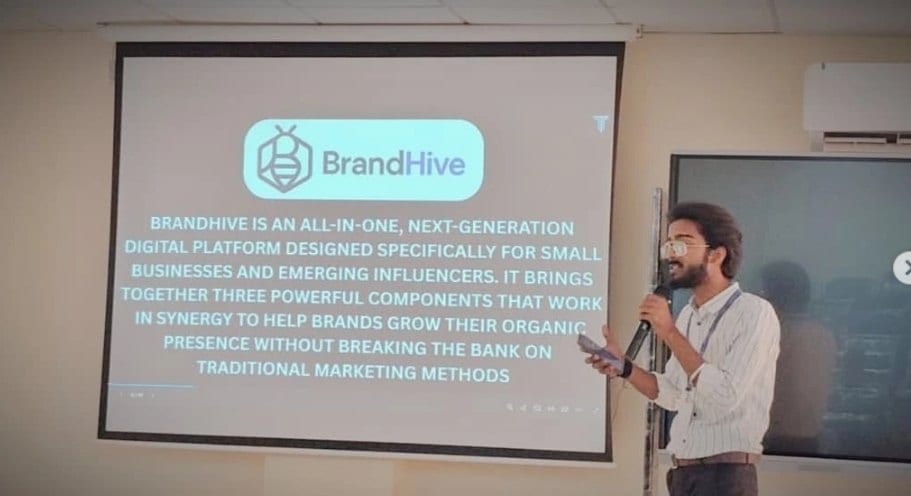
In the room
Where these systems get explained to students.

Read next
Specific vision tasks and products.
A camera that needs to understand?
I build vision that runs in the browser and on-device, with privacy by design. Let's scope it.