
OCR: from pixels to text you can search.
Optical character recognition converts images of text, scans, photos, PDFs without a text layer, into machine-readable text. Modern OCR detects text regions, recognises each line with a neural network, and reconstructs reading order and layout. It fails on poor scans, odd fonts, handwriting and tables, which is why document pipelines validate what OCR returns before trusting it.
- Stands for
- Optical character recognition
- Pipeline
- Preprocess, detect, recognise, order, output
- Engines
- Tesseract, PaddleOCR, EasyOCR, cloud APIs, vision LLMs
- I built
- OCR Speech Workspace, DocuLens AI

- 5production AI apps
- 14engineers led
- 200+students mentored
Questions students ask
The OCR questions searched most, answered from building document tools.
What does OCR stand for?
Optical Character Recognition: optical because the input is an image captured by a scanner or camera, character recognition because the output is the characters that image contains. The term dates from the 1950s, when the first machines read typed digits for banks and post offices. Today it covers any system that reads text from images, including scene text in photos, handwriting, and whole-document conversion with layout. (In other contexts the letters mean other things, an exam board in the UK or a loan ratio; in computing they mean text recognition.)
What is OCR technology?
OCR technology is the set of methods and tools that perform that recognition. Classic engines such as Tesseract segment the page into lines and characters and classify them with trained models; modern engines use deep learning end to end: a detector finds text regions at any angle, a recogniser reads each region as a sequence of characters, and layout models group lines into paragraphs, columns and tables. Cloud document APIs and multimodal language models add understanding on top, extracting fields and answering questions about the page. The output ranges from plain text to structured JSON with positions and confidences.
How OCR works
- Preprocessing: deskew the page, remove noise, fix contrast, binarise if the engine needs it; this step decides half the accuracy.
- Detection: find where text is, as boxes or polygons around words or lines, including rotated or curved text in photos.
- Recognition: each detected region is passed to a sequence model that outputs characters with confidences, handling variable-length text without segmenting individual letters.
- Reading order and layout: lines are grouped into blocks, columns and tables; reading order is inferred so the output reads as a person would.
- Post-processing: dictionary and language models correct likely errors; formats (dates, amounts) are normalised.
- Output: text, or structured data with coordinates, confidences and layout, which downstream code can validate.
How OCR works in Python
Three common routes. Tesseract through the pytesseract wrapper: install the engine, call it on an image, get text and optional word boxes; good on clean printed pages. PaddleOCR or EasyOCR: pip-installable deep-learning engines with detection and recognition models for many languages, better on photos and difficult layouts, GPU-accelerated if available. A multimodal model (local through Ollama or hosted) given the page image and asked for the text or for specific fields: strongest on messy documents, slowest and costliest, and prone to confident errors, so validate its output. In every route, preprocess with OpenCV first and keep the coordinates so you can show where each value came from.
What is Tesseract OCR?
Tesseract is the best-known open-source OCR engine, started at HP in the 1980s, open-sourced in 2005 and developed by Google for years. Version 4 added a neural network recogniser, which greatly improved accuracy on printed text, and it supports over a hundred languages with downloadable models. It works best on clean, high-resolution scans of printed documents with standard fonts and struggles with photos, skew, low contrast, handwriting and complex layouts unless you preprocess carefully. It is free, runs on CPU, and remains a sensible default for digitising printed documents, with newer deep-learning engines taking over where the input is harder.
How to OCR a PDF for free
First check whether the PDF already has a text layer: try selecting text in a viewer, or extract with a PDF library; many PDFs are born digital and need no OCR. For scanned PDFs, OCRmyPDF is a free command-line tool that runs Tesseract on every page and writes a new PDF with an invisible, searchable text layer, preserving the original images; it handles rotation, deskew and multiple languages. For a few pages, free online tools and the OCR built into some PDF viewers work, at the cost of uploading your document. For many documents or private ones, a short Python script with OCRmyPDF or PaddleOCR on your own machine is free and keeps the files local.
How to OCR a document
Capture it well: a flat page, even lighting, the camera square to the page, the highest resolution available; a scanner beats a phone. Preprocess: crop to the page, deskew, increase contrast. Run an engine suited to the content: Tesseract or OCRmyPDF for printed pages, PaddleOCR for photos and mixed layouts, a layout-aware engine or multimodal model for forms and tables. Review the output against the image, especially numbers, dates and names, where a single wrong character matters. If you do this regularly, build a pipeline that stores the coordinates and confidence of every value so a reviewer can click from a field to the exact spot on the page, which is how the OCR Speech Workspace and DocuLens AI present results.
Why is OCR so bad?
- Input quality: low resolution, blur, skew, shadows and low contrast defeat every engine; most 'bad OCR' is bad capture.
- Fonts and scripts: decorative fonts, mixed scripts such as Hindi and English on one line, and small print raise error rates.
- Handwriting: a different problem from printed text; general OCR engines are weak at it and specialised models are needed.
- Layout: multi-column pages, tables, forms and stamps confuse reading order and merge cells.
- Wrong engine or settings: Tesseract on a phone photo, or the wrong language model, produces garbage that a better engine reads cleanly.
- No validation: errors reach users because nothing checks the output. Confidences, format rules and a human review step fix most of the damage.
Why does OCR take so long?
Deep-learning OCR runs two neural networks per page, detection and recognition, and recognition runs once per text line, so a dense page means hundreds of model calls; on a CPU that can take several seconds per page, and a few hundred pages become many minutes. Large images make it slower, as does running at unnecessarily high resolution. Speed it up by using a GPU, downscaling images to around 300 dots per inch (more does not help accuracy), batching lines and pages, running pages in parallel, and skipping pages that already have a text layer. Multimodal language models are slower still per page and should be reserved for the pages that need them.
What is OCR extraction?
OCR extraction is the step after recognition: pulling specific values out of the recognised text, such as the invoice number, the total, the due date, the name on a form, and returning them as structured data. It combines OCR output (text with positions) with layout understanding and rules or a language model to locate each field. The hard part is reliability: a model can confidently return a wrong total. DocuLens AI, the document system I built, treats every extracted field as a claim to be validated: type and format checks, cross-field arithmetic where it applies, confidence thresholds, and a pointer back to the exact spot on the page so a person can confirm it in a second.
An OCR pipeline that holds up
The steps that turn a demo into something you can trust.
- 01
Capture and preprocess
Deskew, crop, contrast; reject images too poor to read and ask for a rescan.
- 02
Pick the engine per page
Text layer if present; Tesseract for clean print; PaddleOCR for photos; a multimodal model for the hard ones.
- 03
Keep coordinates and confidence
Every word with its box and score, so results can be shown on the page.
- 04
Validate before use
Format rules, cross-checks, thresholds, and a reviewer click-through for low-confidence fields.
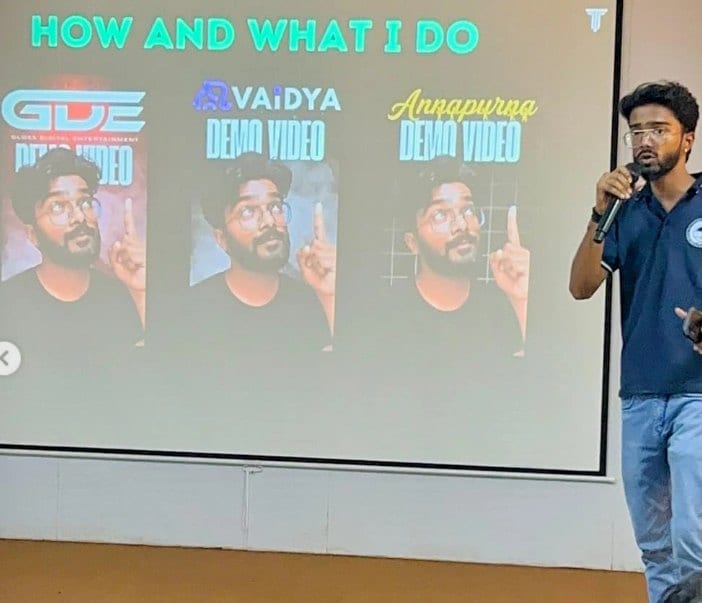
In the room
Where these systems get explained to students.
Read next
Document AI beyond OCR.
Documents your team still types out by hand?
I build OCR and extraction pipelines that validate every field. Send me a sample document.