
Streaming: the answer arrives while it is being written.
A language model produces one token at a time. Streaming sends each token to the client the moment it exists instead of waiting for the full reply, so users read a sentence within a second rather than staring at a spinner for twenty. The provider streams over HTTP using server-sent events; your backend forwards the chunks; your frontend appends them. Every chat product you have used does this.
- Transport
- Server-sent events over HTTP, sometimes WebSockets
- Unit
- A token or a few tokens per chunk
- Why
- Time to first token drops from seconds to under one
- Gotchas
- Structured output, usage counts, citations mid-stream

- 5production AI apps
- 14engineers led
- 200+students mentored
Questions students ask
The streaming questions searched most, answered from shipping streamed RAG answers with citations.
What is LLM streaming?
LLM streaming is delivering a model's output incrementally, token by token or in small chunks, as it is generated, rather than as one complete response at the end. The total time to finish the answer is about the same; what changes is the time until the user sees something, which falls from the full generation time to a few hundred milliseconds. For a long answer that is the difference between an interface that feels alive and one that feels broken. Streaming is a transport choice, not a model feature: the same model, the same tokens, delivered as they appear.
What is streaming response in LLM?
A streaming response is an HTTP response whose body stays open while the server writes chunks into it. Each chunk carries a small piece of the generated text (and sometimes metadata such as a finish reason or a tool call fragment). The client reads chunks as they arrive and appends them to the display. When generation ends, the server sends a final marker and closes the connection. Compared with a normal JSON response, the shape is the same information cut into pieces and sent early, which is why most SDKs expose it as an iterator you loop over.
How does LLM streaming work?
Decoding in a transformer is sequential: the model samples the next token, appends it, and repeats. Without streaming the server buffers all tokens and returns them together. With streaming the server emits each token (or a few) as a server-sent event: a text line beginning with data: followed by a JSON fragment, separated by blank lines, over a long-lived HTTP connection with a text/event-stream content type. The client parses the events as they arrive. Because the format is plain HTTP, it passes through most proxies and load balancers, as long as they are configured not to buffer the response.
How streaming LLM APIs work
You set a stream flag on the request. The provider responds immediately with headers, then sends events. Each event carries a delta: a piece of text, a piece of a tool-call argument, or a signal such as message start, content block start, content block stop, message stop. Your code accumulates deltas into the growing reply and watches for the stop signal, after which a final event usually reports token usage. SDKs wrap this in an iterator or an async iterator so a loop over the response yields text as it comes. Errors can occur mid-stream, so handle a connection that closes early.
How streaming actually works across the Claude, OpenAI, and Gemini APIs
All three use server-sent events over HTTP, and all three SDKs expose an iterator, but the event shapes differ. Anthropic's API sends typed events (message start, content block delta with text or tool-input JSON fragments, content block stop, message delta with stop reason and usage, message stop), which makes it explicit when a tool call begins and ends. OpenAI's chat completions send chunk objects with a choices array containing a delta, and the final usage arrives in a last chunk when requested. Gemini streams partial generate-content responses with candidates and parts. Normalise them behind one interface in your backend so the frontend sees a single format.
Chunking vs streaming
They sound alike and are unrelated. Chunking is an indexing step in retrieval: splitting documents into pieces to embed and search. Streaming is a delivery step in generation: sending the model's output as it is produced. A RAG system does both: it chunks documents once at index time and streams answers at query time. The confusion comes from the word chunk, which streaming APIs also use for each piece of the response. If someone asks about 'chunk size' they mean indexing; if they ask about 'chunks arriving' they mean streaming.
How to deal with streaming LLM structured output
Structured output (JSON matching a schema) and streaming pull in opposite directions: JSON is only valid when complete, but the user wants to see progress. Three approaches work. Stream a human-readable answer and request the structured version in a second, non-streamed call. Stream the JSON and parse it incrementally with a partial-JSON parser so fields appear as they complete, which the major SDKs now support for tool-call arguments. Or design the output as a sequence of small self-contained JSON objects, one per line, so each line can be parsed and acted on as soon as it arrives. For citations mid-stream, I emit a marker token the frontend resolves against the retrieved passages.
How to get token usage for each OpenAI ChatCompletion API call in streaming mode
Ask for it in the request: the streaming options include a flag to include usage, and when it is set the final chunk of the stream carries the prompt, completion and total token counts, with an empty choices array. Read that last chunk rather than counting tokens yourself. If you need an estimate before the stream ends, count prompt tokens locally with the provider's tokenizer library and count streamed text tokens the same way, then reconcile with the final usage object. Log usage per request; it is the number your bill and your rate limits are built from.
How to send a streaming response via LlamaIndex to a FastAPI endpoint
Build your query engine with streaming enabled so the response object exposes a generator of text deltas. In FastAPI, define an async endpoint that returns a StreamingResponse wrapping an async generator; inside the generator, iterate over the LlamaIndex response generator and yield each delta formatted as a server-sent event (a data line and a blank line), then yield a final done event. Set the media type to text/event-stream and disable buffering in any proxy in front. On the client, use the EventSource API or a fetch with a readable stream and append each event's text. Keep retrieval before the stream starts so the first token arrives quickly.
How to stop Ollama model streaming
Two meanings. To turn streaming off for a request, set the stream option to false in the API call and Ollama returns the complete response as one JSON object; in the command-line chat the output always streams. To stop a stream that is in progress, close the HTTP connection from the client (cancel the request, abort the fetch, break out of the iterator and let the client close), and Ollama stops generating for that request. In a web app wire the user's stop button to an AbortController that cancels the fetch to your backend, and have the backend cancel its upstream request in turn so GPU time is not wasted finishing an answer nobody will read.
Ship streaming this week
A backend-to-browser path that works behind proxies.
- 01
Stream from the provider
Set the stream flag, iterate deltas, accumulate text, read usage from the final event.
- 02
Forward as SSE
FastAPI StreamingResponse, text/event-stream, one data line per delta, a done event at the end.
- 03
Render incrementally
Fetch with a readable stream, append text, resolve citation markers against retrieved passages.
- 04
Handle stop and errors
AbortController on the client, upstream cancel on the server, a visible error if the stream ends early.
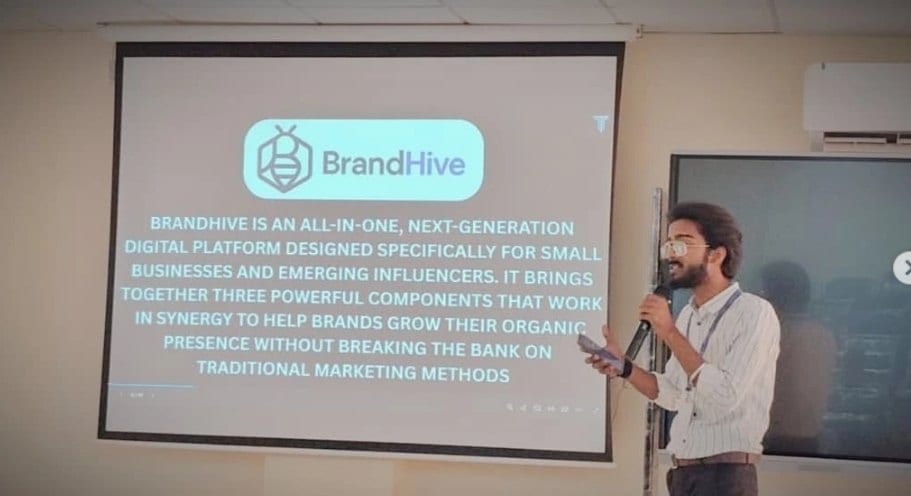
In the room
Where these systems get explained to students.
Read next
Serving and context around streaming.
A chat that feels instant?
Streaming with citations, cancellation and usage tracking is a solved problem. I can build it into your app.