
Text to speech: natural voices from plain text.
Text to speech (TTS) converts written text into spoken audio. Modern neural systems produce voices close to human, with natural rhythm and emphasis, in many languages. It powers screen readers, audiobooks, voice assistants, video narration and accessibility features. Free options range from the voice built into your browser and phone to open models you run yourself.
- Direction
- Text in, audio out (the reverse of transcription)
- Modern engines
- Neural models predicting speech from text
- Free
- Browser and OS voices; open models locally
- Hosted
- Priced per character; check current rates

- 5production AI apps
- 14engineers led
- 200+students mentored
Questions students ask
The text-to-speech questions searched most, answered plainly.
What is text to speech?
Text to speech is technology that reads written text aloud in a synthetic voice. You give it a sentence; it produces an audio waveform of someone saying that sentence, with pronunciation, pauses and intonation chosen automatically. It is built into operating systems as a screen reader and read-aloud feature, into browsers through the Web Speech API, into e-readers and navigation apps, and offered as cloud services with dozens of voices and languages. The quality jump of the last few years comes from neural models that learned speech from recordings rather than stitching together pre-recorded fragments.
How does text to speech work?
The text is first normalised: numbers, abbreviations and symbols are expanded into words, and the words are converted into phonemes, the sounds to be spoken, with rules or a learned model. A neural acoustic model then predicts, from that phoneme sequence, an intermediate representation of the speech such as a mel spectrogram, deciding duration, pitch and energy for each sound so the result has natural rhythm. A vocoder converts that representation into an audio waveform. Newer systems fold these stages into one model and can clone a voice from a short sample. Older concatenative systems glued recorded fragments together, which is why they sounded robotic.
What is text to speech technology?
The term covers the whole stack: the linguistic front end that decides how text should be pronounced, the synthesis models that turn pronunciation into sound, the voices (each a trained model or a set of recordings), and the delivery, from a library on your device to a streaming API. Key capabilities differ between engines: naturalness, number of languages and accents, control over speed, pitch and emphasis through markup such as SSML, latency for real-time use, voice cloning, and whether it runs offline. For most student projects the deciding factors are cost, privacy and whether the voice sounds acceptable for the audience.
Text to speech vs speech to text
They are opposite directions of the same bridge. Speech to text listens to audio and writes words; text to speech reads words and produces audio. They use different models and are evaluated differently: transcription by word error rate against a reference, synthesis by human ratings of naturalness and intelligibility. A voice assistant uses both in sequence: speech to text to understand you, a language model to decide a reply, text to speech to say it. Confusing the two is common in search queries; if you want captions or notes from audio, you need speech to text; if you want your notes read aloud, you need text to speech.
Best text to speech AI free
- Built-in: Windows Narrator and Read Aloud in Edge, macOS and iOS Spoken Content, Android TalkBack and Google's TTS engine. Free, offline, decent voices.
- Browser: the Web Speech API's speech synthesis, available in every modern browser from JavaScript with the system's voices; free and private.
- Open models you run locally: Piper for fast, light, offline voices; Kokoro and other recent open models for higher naturalness; XTTS-style models for voice cloning. Free, with your own hardware.
- Free tiers of hosted services from Google, Microsoft, Amazon and others, with monthly character allowances before billing starts.
- Pick by use: accessibility and notes, built-in; a project, the browser API or Piper; narration quality, a recent open model or a hosted neural voice.
How to use text to speech
On a phone or computer, select text and use the read-aloud or speak command in the system's accessibility settings, or the Read Aloud button in browsers and readers. In a web app, call the browser's speech synthesis API with an utterance object, choose a voice from the list the browser provides, and set rate and pitch; it works without any server. In Python, install a library such as Piper or a hosted provider's SDK, pass text, receive an audio file or stream, and play or save it. For long documents, split text into sentences or paragraphs and synthesise in chunks so playback starts quickly and errors are easy to find.
Why is my text to speech not working?
Start with sound: check the device's volume, the output device selected, and that other audio plays. Check that a voice for your language is installed; systems ship a few voices and download others on demand. In browsers, speech synthesis often requires a user action such as a click before audio is allowed, and some browsers list voices only after they finish loading, so request the voice list after the voices-changed event. Hosted services fail on missing or expired API keys, quota limits and unsupported languages. For long text, engines may time out; split it into smaller pieces. Test with a one-sentence example to isolate the layer that fails.
How to text to speech on Google Docs
Google Docs does not include a read-aloud button of its own; it relies on the screen reader built into your system or browser. Turn on screen reader support in the Docs Accessibility settings, then use your system's reader: Narrator or Edge's Read Aloud on Windows, VoiceOver or Spoken Content on a Mac, or a Chrome extension that reads selected text. The simplest route on any computer is to select the text, copy it into a browser tab or app with a read-aloud feature, or use the operating system's speak-selection command. For producing an audio file of a document, paste the text into a TTS tool and export.
When was text to speech invented?
Mechanical speaking machines date to the eighteenth century, but electronic speech synthesis began in 1939 with Homer Dudley's Voder at Bell Labs, played by an operator with keys. Computer-based synthesis followed in the 1960s, and the first practical reading machine for blind users, by Ray Kurzweil, appeared in 1976, combining OCR with synthesis. Commercial systems such as DECtalk in the 1980s gave the familiar robotic voices. Concatenative synthesis in the 1990s and 2000s improved naturalness by stitching recorded speech, and neural synthesis from 2016 onwards, beginning with WaveNet and Tacotron, produced the near-human voices in use today.
How much is Google text to speech?
Google Cloud Text-to-Speech is priced per million characters synthesised, with different rates for standard, neural and the newest voice tiers and a free monthly allowance per tier before charges begin; the exact figures are on the pricing page and change, so check there rather than relying on any article. The on-device Google text-to-speech engine on Android phones is free. For estimating a project: count the characters you will synthesise per month (a page of text is roughly two to three thousand characters), compare with the free allowance, and consider an open local model if volume is high or the audio must stay private.
Add a voice to a project
From a web page to a narrated document.
- 01
Start in the browser
Speech synthesis API, a chosen voice, rate and pitch; no server, no cost.
- 02
Chunk long text
Sentence by sentence so playback starts at once and can be paused.
- 03
Upgrade the voice
Piper or a recent open model locally, or a hosted neural voice when quality matters.
- 04
Pair with speech to text
Transcribe, process with a model, and speak the reply: a voice assistant in three steps.
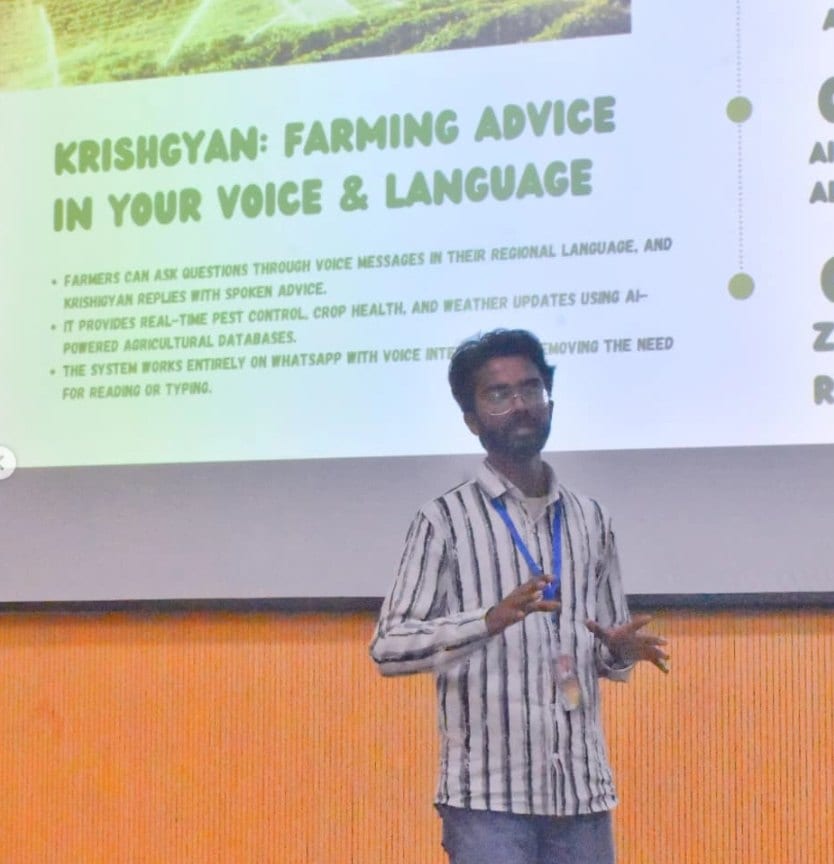
In the room
Where these systems get explained to students.

Read next
The other direction, and the documents behind the words.
A product that needs to speak?
I build voice features end to end: transcription, language model, synthesis, in the browser or on a server.