
Any laptop can learn AI. Few need a GPU.
You do not need a GPU to learn AI, build AI applications or call hosted models; a modest laptop with enough memory does all of that. You need a GPU, or a free cloud one, to fine-tune models or run large ones locally at speed. For a computer science student the priorities are memory, a solid SSD, a comfortable keyboard and battery, in that order.
- No GPU needed
- Learning, building apps, hosted models, small local models
- GPU helps
- Local large models, fine-tuning, vision at speed
- Free GPUs
- Colab, Kaggle
- Student laptop
- 16 GB memory, SSD, good keyboard; GPU optional

- 200+students mentored
- 20+campus sessions
- 5production AI apps
Questions students ask
The hardware questions searched most, answered from building AI on ordinary laptops.
Which laptop for computer science students
One with enough memory to run an editor, a browser with many tabs, a container and a small local model at once: sixteen gigabytes is the comfortable floor in 2026, eight is tight. A fast SSD of half a terabyte or more, because models and datasets are large. A recent processor from any of the main makers. A screen and keyboard you can use for hours, and a battery that lasts a day of classes. A dedicated GPU is optional: it makes local models and vision work faster, but everything in a CS degree, and most AI building, runs without one. Spend on memory and build quality before the GPU.
What laptop should a computer science student get?
- Memory: sixteen gigabytes minimum; thirty-two if you plan to run local models seriously.
- Storage: a fast SSD, half a terabyte or more; external drives for datasets.
- Processor: any recent mid-range chip; Apple Silicon machines are strong for local AI because the GPU shares the system memory.
- GPU: optional; an NVIDIA card with eight or more gigabytes of video memory helps with local models, fine-tuning and vision if you can afford it.
- Linux-friendly or macOS: both suit development; Windows works well with WSL2.
- Keyboard, screen, battery and weight matter daily; benchmarks do not. Buy the previous generation if it saves money.
Does a computer science student need a laptop?
Yes, from the first semester. Programming, projects, labs that run on your own machine, hackathons, internships and interviews all assume one. College labs are not enough: they have fixed hours, locked software and no persistence of your environment. It does not need to be expensive; a used or budget machine with sixteen gigabytes of memory and an SSD covers four years of coursework and most AI building, with free cloud GPUs for the heavy jobs. If money is tight, prioritise memory and a working keyboard, and skip the dedicated GPU.
Does BCA require laptop?
A BCA programme does not always list a laptop as mandatory, but the degree is programming, and you cannot practise programming on lab hours alone. Every student I have mentored who did well had their own machine from the first year and built projects on it outside class. The same budget advice applies: sixteen gigabytes of memory, an SSD, a decent keyboard; GPU optional. A laptop is also where your portfolio, your hackathon entries and your internship work will live, so treat it as the one piece of equipment the degree actually needs.
Does Ollama use GPU?
Yes, when it can. Ollama detects NVIDIA GPUs with current drivers, AMD GPUs on supported platforms, and Apple Silicon's unified memory, and offloads as many model layers as fit in video memory, running the rest on the CPU. When no supported GPU is found, it runs entirely on the CPU, which works but is several times slower. The server's startup log and the command that lists running models show whether layers are on the GPU. On Windows with an NVIDIA card, installing the current driver is usually all it takes; on Linux, the driver and the CUDA libraries must match.
Why Ollama is not using GPU
- Driver missing or outdated: install the current NVIDIA or AMD driver and restart Ollama.
- Unsupported GPU: older or integrated GPUs are not used; check the supported list.
- Not enough video memory: the model does not fit, so Ollama falls back to CPU or offloads only part; try a smaller or more quantised model.
- Wrong build or environment: a Docker container without GPU passthrough, or WSL without the GPU-enabled driver.
- Another process holding the GPU memory: close it and retry.
- Verify with the server log, which reports detected GPUs and offloaded layers, and with the GPU utility while a prompt runs.
Why is Ollama using CPU instead of GPU?
The usual reason is memory: the model you pulled is larger than your GPU's video memory, so Ollama offloads only a few layers or none and the rest runs on the CPU, which shows as high CPU usage and slow tokens. Fix it by choosing a smaller parameter count or a lower quantisation level, or by reducing the context length, which also consumes video memory. The other common reasons are a missing driver, an unsupported GPU and a container without GPU access. Check the log line that reports how many layers were offloaded; if it says zero, the GPU was not used at all.
How to install AI app in laptop
For a local assistant, install Ollama (or LM Studio for a graphical interface), pull a model sized for your memory, and chat; both run on Windows, macOS and Linux. For the hosted assistants, install the desktop apps or use the browser. For building, install Python, Git and an editor, create a virtual environment and follow the first project on this site's roadmap. Download only from the official sites; search results for 'AI app' are full of look-alikes that bundle unwanted software. The free AI tools guide on my answers site lists the ones worth installing.
Can I download Gemini on my laptop?
There is no separate Gemini desktop application in the way there is a phone app; on a laptop you use Gemini in the browser, where it works fully, and on Windows and Chromebooks it is integrated into Chrome and some system features. You can install it as a web app from the browser so it opens in its own window. For developers, the Gemini API and the command-line coding agent install on any laptop. If you want an assistant that runs entirely on your own machine without the cloud, that is a different thing: a local open model through Ollama.
Should I uninstall McAfee from my new laptop?
Pre-installed security trials on new laptops are a common question from students setting up a machine for development. Windows ships its own capable, free antivirus, Microsoft Defender, which turns on automatically when third-party protection is removed, so removing the bundled trial is a reasonable choice that frees memory and stops renewal prompts; use the vendor's official removal tool so nothing is left behind. Keep the operating system updated, enable the firewall, and use a password manager. For a development machine, fewer background agents means faster builds and fewer surprises with tools that watch the file system.
Set up a student machine for AI
An afternoon, no GPU required.
- 01
Clean and update
Remove bundled trials; update the OS and drivers; enable Defender and the firewall.
- 02
Developer basics
Python, Git, an editor, a terminal you like; WSL2 on Windows.
- 03
A local model
Ollama with a small model sized to your memory; confirm GPU offload in the log if you have one.
- 04
Free cloud GPU
Colab and Kaggle accounts for the fine-tuning and training jobs the laptop cannot do.
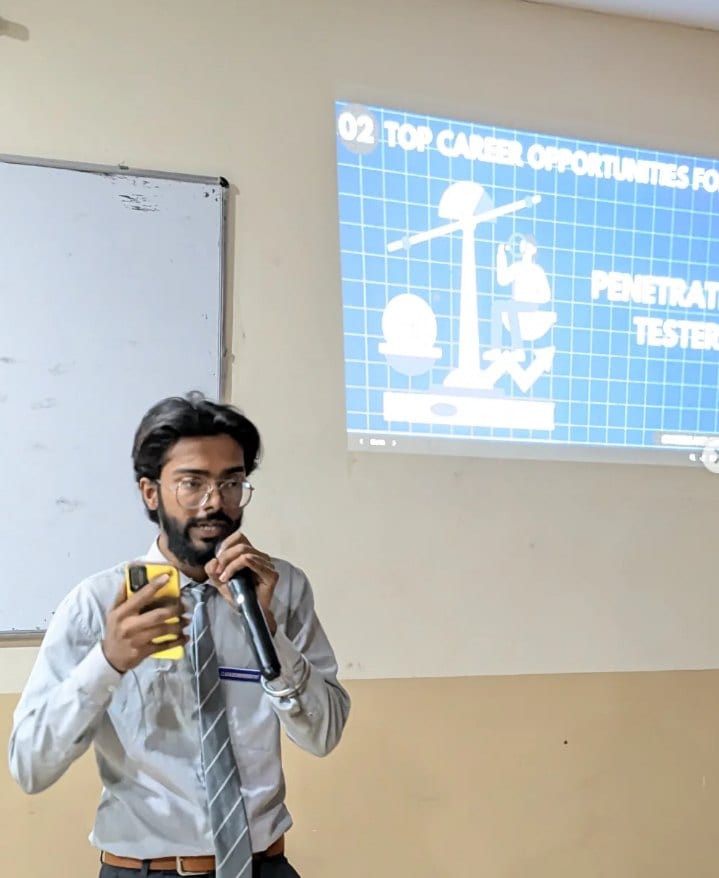
With students
Sessions where this advice gets given in person.

Read next
Running and training on the hardware you have.
Building AI on a budget machine?
Everything on this site was built on ordinary hardware with free cloud GPUs. I can show your students the setup.